Next batch starts:25/11/2026
Linux · Red Hat Enterprise Linux
Most security tools, servers and cloud machines run Linux. This 40-hour course teaches you to work on Red Hat Enterprise Linux confidently, one command at a time.
50,000+
Students
100%
Career help
70+
Programs
Course details

FutureSkills Prime partner — MeitY and NASSCOM initiative for industry-aligned digital skills.

01
Why security learners start with Linux
Kali, Parrot and nearly every penetration-testing distribution are Linux. So are the web servers and cloud instances you will be asked to defend. If the terminal feels awkward, every later course becomes slower.
The training follows the Red Hat Enterprise Linux path. You begin with installing the system and logging in, then build up to permissions, services, remote access, logging and network configuration. Each topic is shown with the exact commands you would type on a real server.
02
What you will be able to do afterwards
Move around quickly
Navigate the file system, find files and read manual pages without a mouse.
Edit and process text
Use Vim, pipes and redirection to handle configuration files and output.
Manage people and access
Create users and groups, set permissions and ownership, and apply special permissions.
Run and watch the system
Control processes and services, and read logs with rsyslog and journalctl.
Work remotely and safely
Configure SSH with and without passwords and limit root login.
Fix connectivity
Configure addresses with nmcli and troubleshoot using ping, netstat, ss and traceroute.
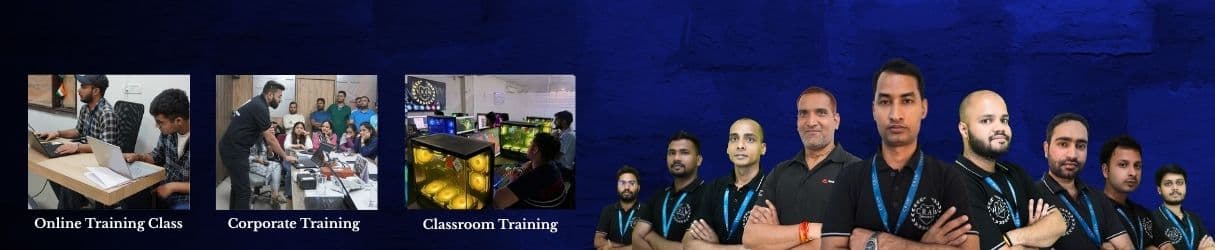
Inside our hands-on training labs






Syllabus
Course content, module by module
01Getting Started with Red Hat Enterprise Linux
- Introduction of Linux and What is RHEL (Red Hat Enterprise Linux)?
- Hardware Requirements to install RHEL 8 Linux Operating System
- How to Install RHEL (Red Hat Enterprise Linux) Operating System
02Accessing the Command Line
- What is BASH? and Shell Basic Options
- What is Terminal and how to use Terminal?
- How to login and logout Linux OS and Restart and Power off the System
- Basic Commands of Linux Video 1 – Use of WHOAMI, WHO, W Commands and Use of Semicolon and PIPE Symbol
- Basic Commands of Linux Video 2 – Use of DATE Command and Its Related Options
- Basic Commands of Linux Video 3 – Use of FILE Command to check File Type in Linux
- Basic Commands of Linux Video 4 – Use of CAT, HEAD, TAIL and EC Commands
- Basic Commands of Linux Video 5 – Use of TAB, Back Slash and History Commands
03Managing Files from the command Line
- What is Linux File System Hierarchy?
- What is Absolute and Relative Path Used in Linux ?
- Use of PWD and LS Command with Its Options
- Use OD CD Command and Its Related Options
04Getting Help in Red Hat Enterprise Linux
- How to use MAN, INFO, PINFO, Whatis and Whereis Commands in Linux
05Creating, Viewing & Editing Test Files
- Use of STDIN, STDOUT and STDERR in Linux
- Use of Pipelines, Redirection, and the tee Command
- What is Vim? And Vim Modes – Insert, Command and Extended Command
- Commands Used in VIM Editor in detail
06Managing Local Users and Groups
- What is User and Group?
07Controlling Access to Files
- What is Linux File System Permissions?
- To Change the permission using Symbolic Mode
- To Change the permission using Numerical Mode
- To Change User Ownership and Group Ownership
- What is Default Permission?
- What is Special Permission? and How to apply Special Permission?
- How to use CHAGE Command in Linux
08Monitoring and Managing Linux Process
- How to manage process in Linux
- How to use BG, FG, and JOBS Commands
- How to use KILL, KILLALL and PKILL Commands
09Controlling Services and Daemons
- How to Control Services and Daemons in Linux
10Configuring and Securing SSH
- How to do SSH Using Password in Linux
- How to do SSH without password in Linux
- How to restrict root access in Linux
11Analyzing and Storing Logs
- How to Check Logs in Linux using RSYSLOG Service
- How to Check Logs in Linux using JOURNALCTL Command
12Managing Networking
- TCP/IP Model
- IPv4 Addresses
- IPv4 Classes with its range
- IPv4 Private IP address
- IPv4 Special Address
- To create a connection and provide IP, DNS and Gateway address through NMCLI Command
- To create a connection and provide IP, DNS and Gateway address through configuration file
- How To Provide Secondary IP and Secondary DNS IP in Linux
- Troubleshooting Commands Used in Linux like PING, NETSTAT, SS and TRACEROUTE Commands
13Archiving and Transferring Files
- How to use TAR Utility for archiving in Linux
- How to Use SCP Commands in Linux
- How to Use RSYNC Commands in Linux
- How to Use SFTP Commands in Linux
14Installing and Updating Software Packages
- Use of RPM Package Manager in Linux to Install Package
- How to create Local YUM Repository in Linux
- YUM related other Commands used in Linux
15Accessing Linux File System
- Use of LOCATE Command in Linux
- Use of FIND Command in Linux
- MOUNT and UNMOUNT the File System Temporary (partition)
- MOUNT and UNMOUNT the File System Permanently Using FSTAB file (partition)
16Analyzing Servers and Getting Support
- How to Enable Web Console using COCKPIT Service in Linux
03
How the 40 hours are used
- 1
Install and orient
Set up RHEL in a virtual machine and learn the shell.
- 2
Daily commands
Practise files, text editing and help tools until they are automatic.
- 3
Administration tasks
Handle users, permissions, services and logs.
- 4
Networking and transfers
Configure interfaces and move data with tar, scp, rsync and sftp.
- 5
Packages and storage
Install software with RPM and YUM and mount file systems permanently.
04
Good fit if you are
- A fresher planning to study ethical hacking next
- A support engineer moving toward system administration
- A developer who deploys to Linux servers
- A student who wants a solid base before cloud or DevOps courses
Placements
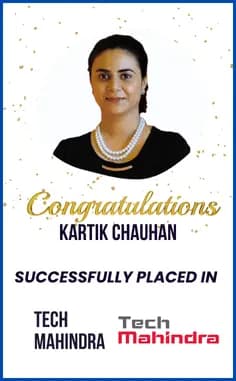
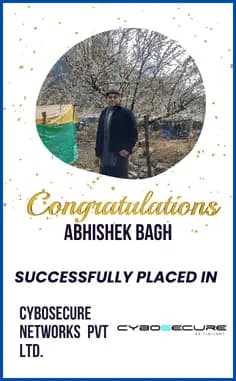
Recent Placement Success Stories
Meet the graduates who turned training into careers



































Recognition
EC-Council Circle of Excellence




Named Best ATC Partner and Best CEI by EC-Council in consecutive years
Government & defence
Defence Training
Tailored programmes for armed-forces personnel and government departments

Indian Air Force

Indian Navy

Dept. of Military Affairs

Integrated Defence Staff
Indian Air Force
Indian Navy
Dept. of Military Affairs
Integrated Defence Staff
Companies that have hired our graduates













Frequently asked questions
Is learning Linux worth it for a cybersecurity career?
Yes. Security tooling and servers are overwhelmingly Linux based, so command-line comfort is a basic expectation.
Does Linux need antivirus software?
Less often than Windows desktops, because there is less common malware aimed at it, but servers still need patching, access control and monitoring.
What is Linux Essentials?
It is an introduction to Linux, open-source ideas and the command line, which this course delivers using Red Hat Enterprise Linux.
How long does the course take?
It is a 40-hour programme. Ask our team for the next batch timing.
Which commands should a beginner learn first?
Start with pwd, ls, cd and mkdir to move around and create folders, then add cat, find and the permission commands.
Do I need to know programming before this?
No. The course starts at installing the system and uses shell commands rather than code.
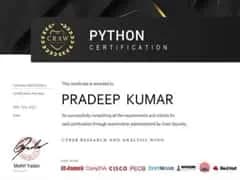
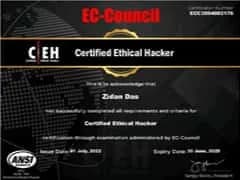
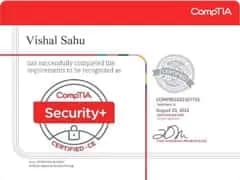
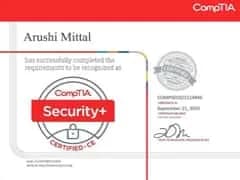
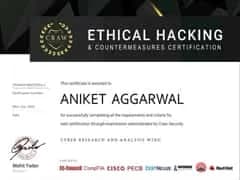
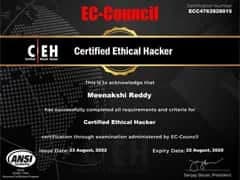
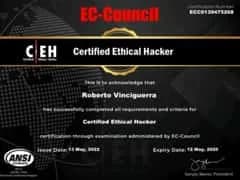
Certificates earned by our learners
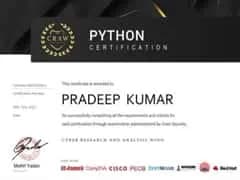
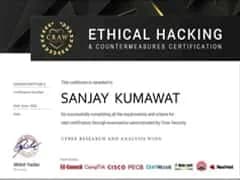
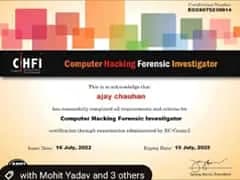

What our learners say

Saket Chaudhary
NewI recently completed my CEH Practical course and exam from Craw Security, and the experience was truly exceptional. The course was well-structured, covering all essential aspects with hands-on practical training. The mentors were incredibly supportive throughout the journey, especially my instructor, Mohit Kumar Sir, whose guidance and expertise played a crucial role in my learning process. His dedication and willingness to help made the course even more valuable. I highly recommend Craw Security to anyone looking to enhance their cybersecurity skills. A well-deserved 5 out of 5 stars 🤩

Philis Mutamba
Really enjoyed my CEH training with Craw Security. My trainer Robin Paul was patient, clear, and very knowledgeable. The course structure and hands-on sessions were really really helpful.

Kashish Jaiswal
I recently completed my CEH (Certified Ethical Hacker) training at Craw Security, and also took the CEH certification exam. My overall experience was highly positive. The training was well-structured and delivered by experienced instructors (Mohit Sir) who had in-depth knowledge of ethical hacking concepts. The course covered a wide range of topics, They were patient in clearing doubts and ensured that all students, regardless of their prior experience, could grasp the topics effectively. The institute provided excellent guidance on exam preparation, including practice tests, study materials, and exam-taking strategies. Their support team was also helpful in scheduling the exam and addressing any queries related to certification. I highly recommend Craw Security to anyone looking for any Security related training’s. Would definitely consider returning for more advanced cybersecurity courses in the future!

Keshav gupta
I recently took Linux classes at Craw Security Institute, and it was an excellent learning experience. The course was well-structured, and the practical knowledge I gained has been invaluable. A special thanks to Anand Sir for his dedication

Tushar Meena
Amit Sharma Sir is an exceptional AWS Associate teacher at Craw Saket. His deep knowledge, clear explanations, and practical teaching approach make complex topics easy to understand. He's always supportive and ready to clear doubts. Truly appreciate his dedication and teaching style — highly recommended for anyone looking to learn AWS the right way!

Vikash Yadav
The experience at Craw Security has been excellent! The learning environment is welcoming, and the staff is supportive and responsive. Even beginners feel well-guided throughout the program. It's a supportive place to build a strong foundation in cybersecurity.

Rohit Sharma
I recently completed CEH practical on craw security. Which was a great decision i made fr they're well organised with proper support and my mentor Robin paul who guided me throughout i personally thank him here..

Ankit Verma
Craw Cyber Security provides excellent training with a strong focus on practical, hands-on learning. I especially appreciated their Red Hat course, which was well-structured and aligned with real exam scenarios. The instructors are highly knowledgeable, and the staff is very supportive and friendly, always ready to assist. It's a great place to start or grow your career in cybersecurity and Linux administration.

Amit Kashyap
I had a great experience with CRAW Security! The cybersecurity training was practical and industry-relevant. The trainers were very supportive throughout. Special thanks to Mansi Ma'am from the placement cell for her constant support and guidance — because of her help, I got successfully placed. Highly recommend this institute!

Yashika singhaniya
Grateful to Craw Security for an excellent learning experience in cybersecurity. A big thank you to Sahil Sir and Bhumika Ma’am for their mentorship, support, and encouragement during my learning process.

Charan Kumar reddy Yandapalli
I am very happy to participated as a member of CRAW security. This company is very Good at atmosphere and very good for learning also. I'm strongly recommending Craw security to your cyber security future 👍
Where our learners go on to work