
Table of Contents
What is the Linux Operating System?
If you want to make a career in the IT Industry and want to have great skills at handling Linux Operating Systems, this article is just for you. In this article, we will discuss “What is the Linux Operating System?”
Moreover, for those who want to have a reliable learning environment, we have mentioned one of the most reputable training providers at the end. What are we waiting for? Let’s get straight to the topic!
What Is an Operating System?
Software that controls computer hardware and software resources while offering an intuitive user interface is called an operating system (OS). It regulates functions like file storage, process execution, and memory management.

Android, Linux, macOS, and Windows are a few examples. Let’s move forward and talk about “What is the Linux Operating System?”
What is the Linux Operating System?
Based on Unix, Linux is an open-source operating system renowned for its flexibility, stability, and security. It is extensively utilized in software development, servers, and cybersecurity. Fedora, Debian, and Ubuntu are popular distributions.
Understanding Linux: A Brief History
Linus Torvalds developed Linux in 1991 as a free and open-source substitute for Unix. Because of its security, stability, and community-driven growth, it became well-known very fast. Linux is now used in embedded systems, servers, supercomputers, and smartphones all over the world.
How is the Linux Operating System used?
In the following ways, the Linux Operating System works:
- Server Operating System: Because Linux is stable, secure, and open-source, it powers the great majority of web servers, databases, and other vital infrastructure.
- Embedded Systems: Because of its adaptability and small size, Linux is utilized in gadgets like routers, smart TVs, and industrial control systems.
- Supercomputing: Because of its scalability, performance, and support for high-performance computing, Linux is the most popular operating system in supercomputers.
- Desktop Operating System: For personal computers, Linux provides a free and adaptable substitute for Windows and macOS.
- Mobile Devices: The Linux kernel serves as the foundation for Android, the most widely used mobile operating system.
- Development and DevOps: For software development and DevOps procedures, Linux offers a strong and adaptable environment.
- Cloud Computing: Numerous cloud platforms and services, such as AWS, Azure, and Google Cloud, are built on top of Linux.
- Cybersecurity: Linux’s command-line interface and open-source nature make it a popular option for security experts and tools.
- Scientific Research: Because Linux supports high-performance computing and scientific software, it is frequently used in scientific research.
- Education: Because of its open-source nature and adaptability, Linux is frequently used in educational settings to teach computer science and system administration.
Linux Distributions
| S.No. | Distributions | What? |
| 1. | General Purpose/ Desktop | Distributions that are easy to use, such as Fedora, Ubuntu, and Linux Mint, are made for routine computer work. |
| 2. | Server-Oriented | Server performance, stability, and security are the main goals of distributions like CentOS, Debian, and RHEL. |
| 3. | Specialized Distributions | Distributions such as embedded Linux distributions designed for particular hardware or use cases, Kali Linux (for penetration testing), and Ubuntu Studio (for creating multimedia). |
Common Use Cases for Linux
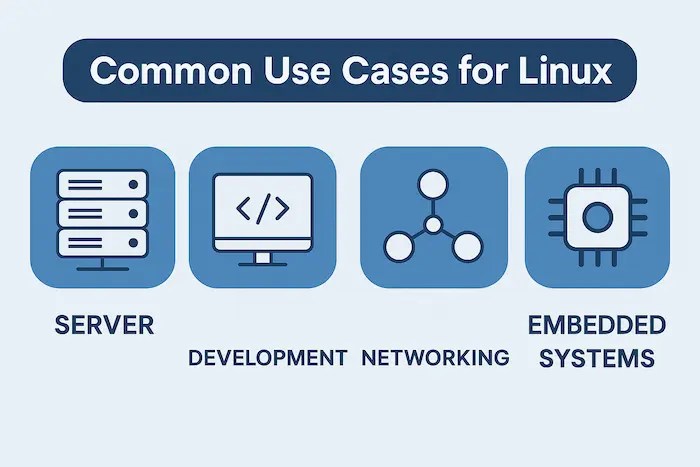
Following are some of the common use cases for Linux:
- Web Servers: Hosting websites and web apps because of their open-source, secure, and reliable nature.
- Databases: Operating database servers such as MongoDB, PostgreSQL, and MySQL.
- DevOps: Utilizing its automation capabilities and command-line tools to support tasks related to development, deployment, and operations.
- Cloud Computing: Supporting cloud services and platforms such as Google Cloud, AWS, and Azure.
- Embedded Systems: Managing gadgets such as industrial machinery, smart TVs, and routers.
- Supercomputing: Operating clusters of high-performance computers for simulations and scientific research.
- Desktop Computing: Offering a free and adaptable substitute for macOS and Windows.
- Cybersecurity: Security experts use it for incident response, forensics, and penetration testing.
- File Servers: Utilizing a network to store and distribute files.
- Containerization: Utilizing Docker and Kubernetes to run containerized applications.

Advantages of Linux
| S.No. | Advantages | How? |
| 1. | Open Source | Free to use, share, and alter, encouraging creativity and community growth. |
| 2. | Stability | It is renowned for being dependable and crash-resistant, which makes it perfect for servers and other important systems. |
| 3. | Security | A smaller attack surface than other operating systems and strong security features. |
| 4. | Flexibility | Extremely adaptable, enabling users to customize the system to meet their unique requirements. |
| 5. | Performance | Performance that is quick and responsive is the result of effective resource management. |
| 6. | Large Community Support | A wealth of online communities, forums, and documentation for support and troubleshooting. |
| 7. | Wide Range of Distributions | From desktop use to server administration, different distributions address distinct needs. |
| 8. | Cost-Effective | Unlike proprietary operating systems, it is free to use and frequently requires less powerful hardware. |
Basic Linux Commands for Beginners
Following are some of the basic Linux commands for beginners:
- ls: Provides a list of the current directory’s files and directories. (e.g., ls -l for a detailed listing)
- cd: Modifies the directory that is currently in use. (e.g., cd /home/user/documents)
- pwd: Prints the working directory as it is.
- mkdir: Establishes a new folder. (e.g., mkdir new_folder)
- rmdir: Eliminates an empty directory. (e.g., rmdir empty_folder)
- touch: Produces a blank file. (e.g., touch new_file.txt)
- cat: Shows the file’s contents. (e.g., cat myfile.txt)
- cp: Copies directories or files. (e.g., cp myfile.txt newfile.txt)
Disadvantages of Linux
| S.No. | Disadvantages | How? |
| 1. | Steeper Learning Curve | New users may find the command-line interface and customization options difficult to understand. |
| 2. | Software Compatibility | There might not be Linux versions of some proprietary software, necessitating alternatives or workarounds. |
| 3. | Hardware Compatibility | Even though they are getting better, some hardware—particularly more recent models—may only support a small number of Linux drivers. |
| 4. | Gaming Support | Despite improvements brought about by initiatives like Steam Proton, there are still fewer AAA games available on Linux than on Windows. |
| 5. | Driver Management | Driver management and installation can occasionally be more difficult than on other operating systems. |
| 6. | Limited Vendor Support | Direct vendor support for Linux may be less accessible than for commercial operating systems. |
| 7. | Fragmentation | Selecting the best distribution can be challenging due to fragmentation and inconsistencies caused by the large number of them. |
| 8. | Perceived Complexity | Despite its power, Linux may appear complicated to novice users due to its command-line interface and plethora of configuration options. |
Why Should You Use Linux?
You should use Linux for the following reasons:
- Free and Open Source: It is free to use, share, or alter, which promotes community growth and saves money.
- Highly Customizable: Customize the operating system to meet your unique requirements and tastes.
- Stable and Reliable: Renowned for being reliable and having little downtime, making it perfect for servers and important applications.
- Secure: Smaller attack surface and fewer vulnerabilities than other operating systems.
- Performance: Performance that is quick and responsive is the result of effective resource management.
- Large Community Support: Lots of online communities, forums, and resources for support and troubleshooting.
- Versatile: Ideal for a range of uses, including embedded systems, server administration, and desktop computing.
- Privacy-Focused: More privacy and control over your data than with proprietary operating systems.
- Learning Opportunity: An excellent method for learning computer science concepts and operating systems.
- Choice: Many distributions offer a variety of options to suit various needs and preferences.
How Does Linux Compare to Windows and macOS?
| S.No. | Factors | Topics | What? |
| 1. | Cost | Windows | Windows needs a paid license, whereas Linux is typically free and open-source. |
| Cost | macOS | Whereas macOS necessitates the purchase of Apple hardware, Linux is open-source and free. | |
| 2. | Customization | Windows | While Windows is less customizable, Linux provides a wide range of options. |
| Customization | macOS | MacOS has few customization options compared to Linux’s extensive customization capabilities. | |
| 3. | Security | Windows | Because Linux is open-source and has a smaller attack surface, it is frequently regarded as more secure. |
| Hardware | macOS | Whereas macOS is exclusive to Apple products, Linux can be installed on a wide range of hardware. | |
| 4. | Software Availability | Windows | Windows offers a greater selection of software, particularly for professional and gaming applications. |
| Command Line | macOS | While macOS also has a Unix-based terminal, Linux emphasizes command-line usage more. Linux also boasts a robust command-line interface. | |
| 5. | Ease of Use | Windows | Linux has a higher learning curve than Windows, which is typically thought to be simpler for novices. |
| Development | macOS | Although both are widely used for development, macOS works well with the Apple ecosystem, while Linux provides a more flexible environment. |
Conclusion
Now that you have read about “What is the Linux Operating System?” you might be wondering where you could get the best learning experience. For that, you can get in contact with Craw Security, offering a dedicated training & certification program, “Best Linux Essential Training Course in Delhi,” for IT Aspirants.
During the sessions, students will get the opportunity to test their knowledge & skills practically under the guidance of experienced trainers. With that, remote learning will be facilitated to students via online sessions on the premises of Craw Security.
After the completion of the Best Linux Essential Training Course in Delhi offered by Craw Security, students will receive a certificate validating their honed knowledge & skills during the sessions. What are you waiting for? Contact, Now!
Frequently Asked Questions
About What is the Linux Operating System?
1. What is Linux in the operating system?
A variety of operating systems (distributions) for computers, servers, mobile devices, and embedded systems are built on top of Linux, an open-source operating system kernel that resembles Unix.
2. What is the full form of Linux?
Although “Lovable Intellect Not Using XP” is a humorous backronym, there isn’t a complete form for Linux. It is simply named after Linus Torvalds, who created it.
3. What is the difference between Windows and Linux?
Windows is proprietary and easy to use, whereas Linux is open-source and very customizable.
4. Where is Linux used?
From servers, supercomputers, and personal computers to embedded systems and smartphones, Linux is utilized everywhere.
5. What is the best Linux OS?
There is no one “best” Linux operating system; rather, the best option for you will rely on your own requirements and tastes.
6. Why is the Linux OS the best?
Linux is a popular option for many people due to its open-source nature, customizability, and robust community support; however, it is not always “the best,” as this depends on personal preferences.
7. Which is the command in Linux?
To list files in a directory, use the ls command, one of the many commands available in Linux.
8. How to check the Linux version?
The commands lsb_release -a and cat /etc/os-release can be used to determine the Linux version.
9. What is a Linux syntax?
The structure and guidelines for writing commands in the Linux terminal, which frequently include commands, options, and arguments, are referred to as Linux syntax.
10. How to create a file in Linux?
In Linux, you can create a file by using the touch command and the filename (touch myfile.txt, for example).
11. Which Linux Distribution is right for you?
Your needs and degree of experience will determine which Linux distribution is best for you; options range from more specialized to more user-friendly, like Ubuntu.
12. How can I learn Linux?
If you want to learn Linux skills, you can join the Best Linux Essential Training Course in Delhi offered by Craw Security.
Leave a Reply